


Description
EVP Capture and Manipulation Recorder System
Pro EVP Capture & Manipulation System
The EVP Sampler is a high-fidelity digital recording and analysis suite built for the modern paranormal investigator. The recorder offers unlimited recording time, real-time audio scrubbing, and sophisticated DSP (Digital Signal Processing) emulators.
Designed to be both a recorder and an active analysis tool, the EVP Sampler allows you to capture audio and immediately “dissect” it in the field using professional-grade manipulation techniques.
Getting Started: Physical Controls & Setup
Before powering on, ensure a high-quality microSD card is inserted.
-
Left Button (Button A): Volume Down.
-
Middle Button (Button B): Volume Up.
-
Right Button (Button C): Access the Main Menu.
-
Charging & Power: Connect via USB-C. while the device is off.
The Main Interface (Sampler Mode)
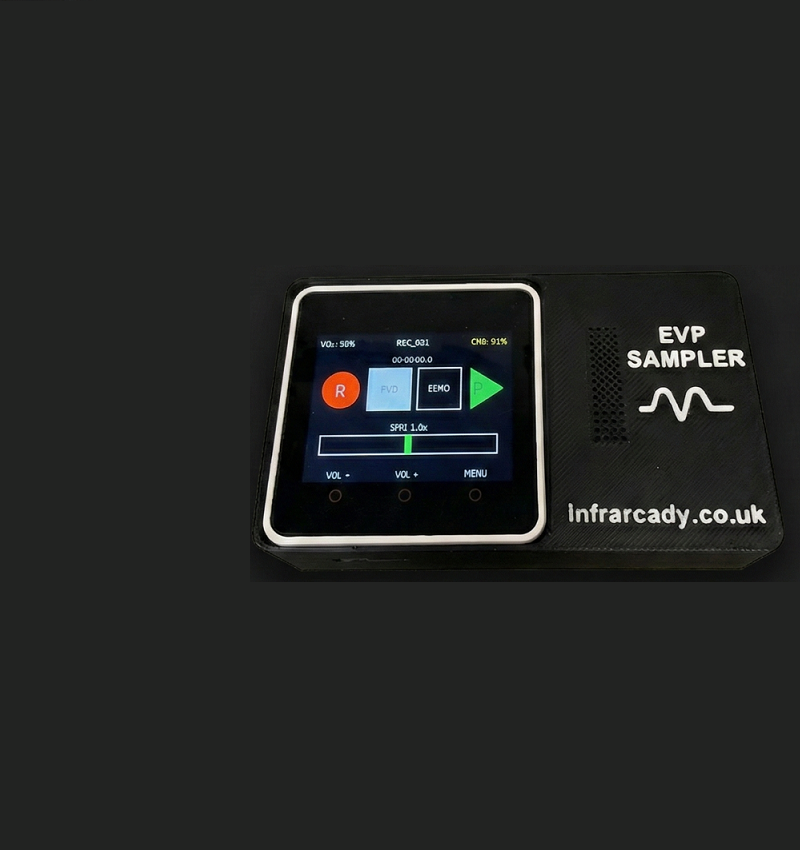
The screen is designed for high visibility during night investigations, providing instant feedback on your recording status:
-
The Timer: Located in the center, this shows the exact duration of your current recording or the position of your playback.
-
Mode Header: Displays current Volume, Battery, and Filename.
-
EVP Status: Below the timer, the device indicates if any “Emulation” filters (RR-DR60 or Sony modes) are active.
Touch Screen Zones:
-
REC (Red): Tap to start recording; tap again to save the file. The button pulses during active recording.
-
FWD/REV: Tap the center grey box to instantly toggle the playback direction.
-
ECHO: Toggles a real-time reverb effect, which can help in “opening up” the soundstage of flat recordings.
-
PLAY (Green): Tap to listen to your most recent capture.
Advanced Analysis: The Slider & Scrubbing
The bottom slider is the most powerful tool for an EVP researcher:
-
Speed Control (When Stopped): Drag the slider left to slow down playback (down to 0.5x) or right to speed it up. This is essential for understanding rapid-fire “Class A” EVPs.
-
Audio Scrubbing (During Playback): While a file is playing, the slider becomes a “seek” bar. Drag your finger across it to manually move the playhead back and forth. This allows you to “rock” the audio over a specific syllable or sound—just like a professional studio editor—to clarify exactly what was said.
Investigation Modes & Features
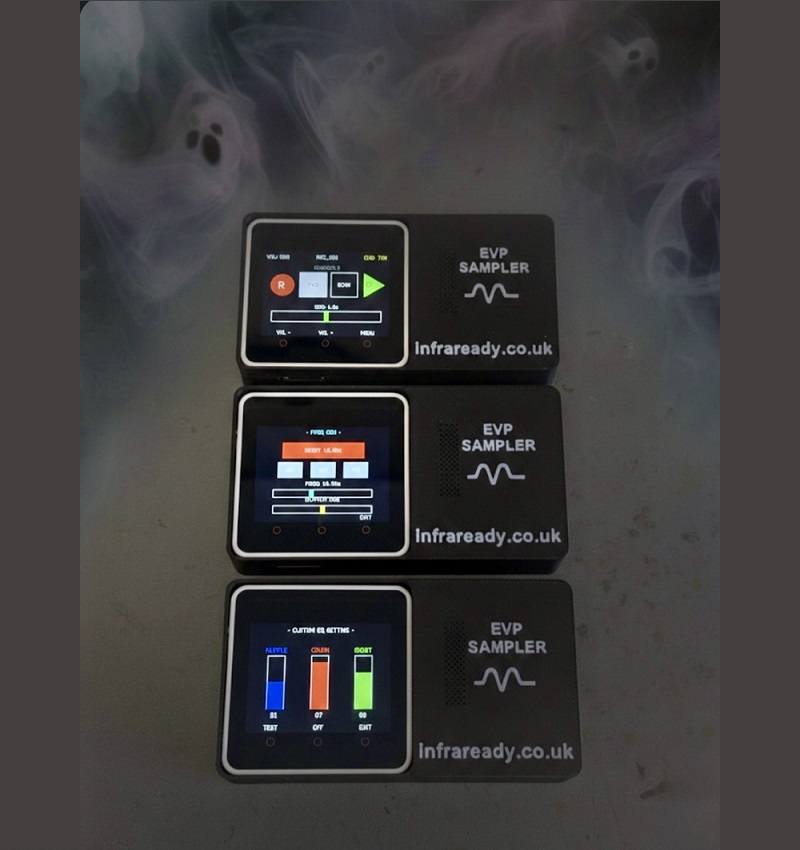
Accessed via the Main Menu (Button C):
EVP Emulator Mode
Many researchers believe certain vintage recorders captured better evidence due to their unique “noise floors.” The EVP Sampler includes two built-in emulators:
-
RR-DR60 Mode: Emulates the legendary “crunchy” audio and high-pass hiss of the Panasonic RR-DR60, providing spirits with raw digital noise to manipulate.
-
SONY Mode: Adds the warmth and bass characteristics of vintage IC recorders with background hiss.
Ghost Frequency (Ultrasound/Infrasound) Generator
The device can emit continuous waveforms (Sine, Square, Triangle), a useful technique to help stimulate activity prior to an EVP session.
-
The 18.9Hz Preset: A specific infrasound frequency theorised to be the resonant frequency of the human eye.
-
Application: Used as a “carrier wave” or energy donor for the environment. It is believed to provide a physical vibration that entities can use to manifest or communicate.
Library & Mic Gain
-
Library: Browse every recording on your SD card. Select any file to load it back into the main sampler for analysis.
-
Mic Gain: Increase the sensitivity of the internal microphone for quiet “hush” sessions. 1x – 20x gain. Settings of 1x – 5x are ample for normal conditions.
Quick Start Guide
-
Power On: Tap the screen while charging or press the side power button.
-
Set Volume: Use the physical buttons (A & B) to set your listening level.
-
Record: Tap the Red REC circle. Ask your questions clearly.
-
Review: Tap REC to stop, then tap the Green PLAY triangle.
-
Analyze: If you hear something, use the FWD/REV button to check the sound in reverse, or use the Slider to slow the speed down to 0.5x.
Disclaimer & Legal Stance
Experimental & Entertainment Use: The EVP Sampler is an experimental tool for paranormal research. There is no scientific evidence that electronic devices can communicate with the deceased. Use of this device is for entertainment and research purposes only.
Data Responsibility: Users are responsible for their own data management. Infraready is not liable for data loss due to SD card formatting or hardware misuse.
Physiological Notice: The Infrasound Generator (18.9Hz) may cause feelings of unease, dizziness, or blurred peripheral vision in some individuals. This is a known physical reaction to low-frequency vibration. Use with discretion.


Reviews
There are no reviews yet